Most logo advice online assumes you have either a big budget or a designer on call. The reality for most founders, freelancers, and small business owners is neither.
AI logo generators have changed what is actually possible on a tight timeline and a tight budget. The best ones today do not just hand you a generic icon with your business name typed underneath. They generate industry-specific concepts, let you customize everything, and hand you print-ready files you can use immediately, sometimes even without spending a single dollar.
We tested seven of the most-used AI logo tools in 2026, evaluating each one on output quality, customization depth, file formats, ease of use, and what you actually get for free. Here is what we found.
Quick-Pick Table
The table below breaks down how every tool compares at a glance.
| Tool | Best For | Starting Price | Truly Free |
| Design.com | Best overall, full brand kit | Free tier available; $3/month (paid plan) | Yes — free logo download available |
| BrandCrowd | Template variety, mockup previews | Free tier available; $3/month (paid plan) | Yes — free logo download available |
| Canva | Designers already in the ecosystem | Free; Pro $18/month | Partial (PNG only, no vectors) |
| Adobe Express | Creative Cloud users | Free; Premium $9.99/month | Partial (limited exports) |
| Wixel | Wix website owners | From $49 one-time | No (preview only) |
| Vistaprint Logo Maker | Print-ready branding | Free | Yes |
| Shopify Logo Maker | Shopify merchants, zero budget | Free | Yes (PNG only) |
#1 Design.com: Best AI Logo Generator Overall
Free logo download available · Paid plans from $3/month
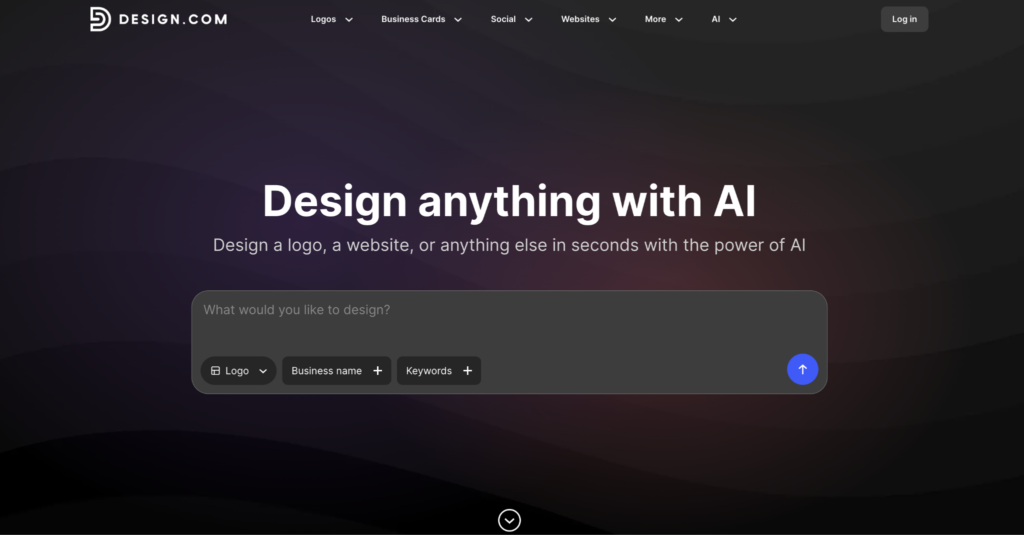
Design.com is the most complete AI logo generator available in 2026. It generates professional logo concepts instantly from your business name and industry, lets you customize everything in a beginner-friendly editor, and gives you a finished, ready-to-use logo for free. No credit card required to get started.
The free tier is one of the most generous we tested. You can browse logo concepts, customize fonts, colors, icons, and layouts, and download your final logo at no cost. For users who need more, paid plans start at $3/month and unlock vector file formats, unlimited edits, and a full brand kit.
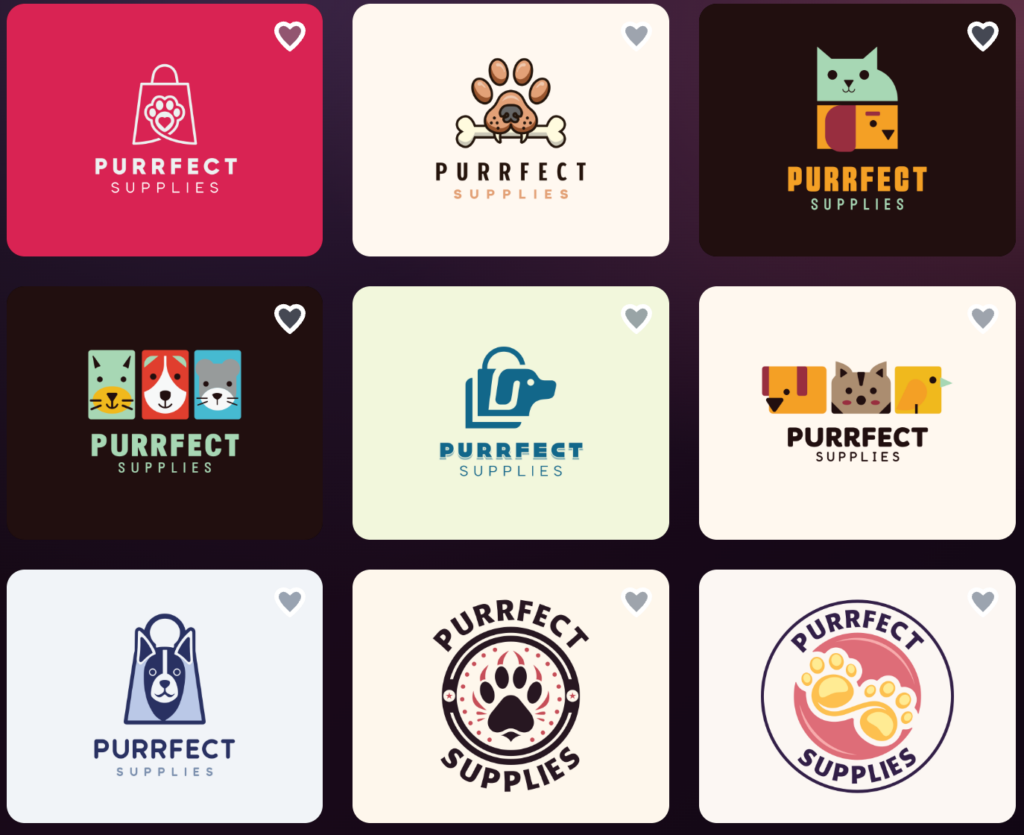
To see how the AI handles a real brief, we ran “Purrfect Supplies,” a fictional pet supply store, through the generator. Within seconds, Design.com gave us over 14,000 logo design recommendations, ranging from playful icon-based marks to cleaner wordmarks, all built around the name and industry we gave it.
Here are just some of them:
Key Features
- Generates thousands of logo variations instantly from your business name and industry keywords
- Chat-based AI editor: type plain language requests to refine your logo in real time
- Custom-trained AI ensures all edits remain copyright safe
- Full vector exports including SVG, EPS, and PDF with transparent backgrounds
- Brand Auto-Sync applies your colors and typography across business cards, social posts, email signatures, and letterheads automatically
- Access to 500,000+ design templates across the platform
- Free logo download with no account or payment required to get started
Pricing
| Plan | Annual Price | Monthly Price | What’s Included |
| Free | $0 | $0 | Logo customization and download, standard file formats |
| Starter | $3/month | $9/month | Vector files, unlimited changes, business cards, social posts, email signatures, letterheads, 50+ tools, 618,000+ templates |
| Value | $4/month | $14/month | Everything in Starter, plus a website |
| Premium | $5/month | $19/month | Everything in Value, plus link-in-bio and digital business cards |
What We Noticed While Testing Design.com
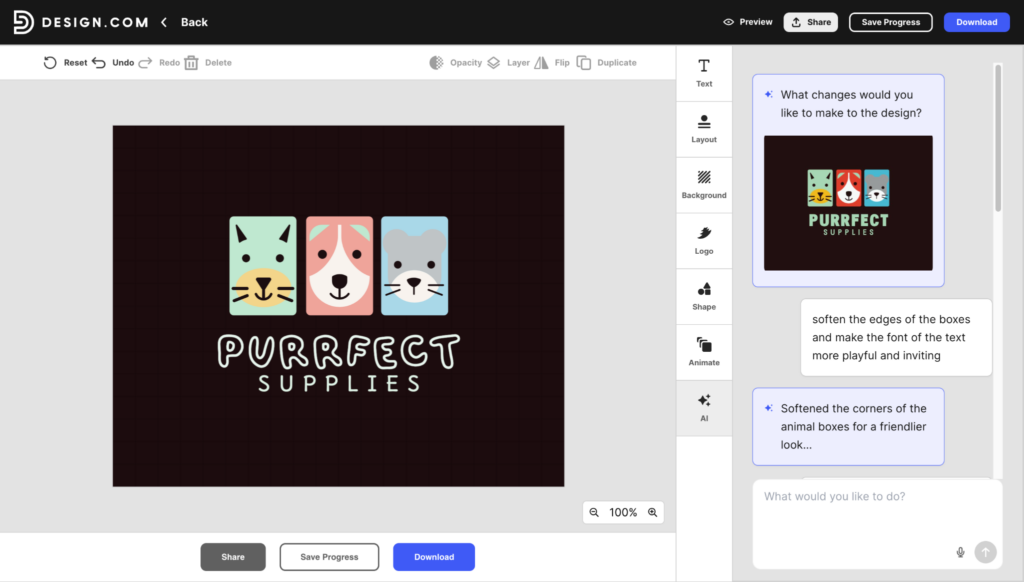
- The chat-based AI editing is the feature no competitor has matched yet. We typed “soften the edges of the boxes and make the font of the text more playful and inviting,” and the tool adjusted the design in seconds! Most logo tools make you hunt through dropdown menus to do the same thing.
- The Brand Auto-Sync is more useful than it sounds. The moment we finalized the logo, matching business card templates appeared ready to customize. It saved at least 20 minutes we would have spent recreating the color palette elsewhere.
- The free download tier is real. We downloaded a finished, customized logo without payment or an account. For a bootstrapped brand testing an identity before committing, that is a meaningful advantage.
Best For
Startups, entrepreneurs, and small business owners who want a complete brand identity fast. The free tier makes it risk-free to try, and the paid plans are among the most affordable on the market for what they include.
#2 BrandCrowd: Best for Template Variety and Speed
Free logo download available · Paid plans from $3/month
BrandCrowd takes a template-first approach to AI logo generation. Rather than producing fully abstract concepts, its logo maker uses AI to match your inputs to a library of over 390,000 professionally designed logo layouts. The result is fast, polished, and visually consistent straight out of the box.
Like Design.com, BrandCrowd offers a genuinely free experience. You can browse the full library, customize your chosen logo, and download it at no cost. Paid plans unlock additional file formats and brand kit features starting at $3/month.
Key Features
- Generates thousands of logo concepts instantly from a business name or keywords
- 380,000+ designer-made templates across industries and styles
- Customizable fonts, colors, icons, and layouts inside the built-in editor
- Real-world mockup previews: see your logo on signage, apparel, and marketing materials
- Full vector exports including SVG, EPS, and PDF
- Matching brand assets, including business cards and social graphics
- Free logo customization and download with no payment required
Pricing
| Plan | Annual Price | Monthly Price | What’s Included |
| Free | $0 | $0 | Logo customization and download, standard file formats |
| Starter | $3/month | $9/month | Vector files, unlimited edits, business cards, social posts, email signatures, letterheads, 50+ tools, large template library |
| Value | $4/month | $14/month | Everything in Starter, plus a website builder |
| Premium | $5/month | $19/month | Everything in Value, plus link-in-bio and digital business cards |
What We Noticed While Testing BrandCrowd
- The mockup preview feature was the standout for us. Seeing a newly-made logo on a business card, website and shopfront sign before downloading made the decision a lot easier. Most tools skip this step entirely.
- Because BrandCrowd uses designer-made templates, the visual quality is consistently high. You are less likely to get something that looks off or awkward with generative tools that build from scratch.
- The free download experience is straightforward and frictionless. We customized a logo fully and downloaded it without creating an account. That level of accessibility is rare among tools of this quality.
Best For
Entrepreneurs and small businesses who want a fast, professionally designed logo with no upfront cost. A particularly strong choice if seeing real-world mockup previews is important to your decision-making.
#3 Canva: Best for Users Already in the Ecosystem
Free plan available · Pro from $18/month
Canva is not just a dedicated logo maker. It is a full-scale design platform and logo creation is one tool among hundreds. That context matters when deciding whether to use it for your brand.
Key Features
- 250,000+ customizable design templates, including logo layouts
- Drag-and-drop editor with no design experience required
- AI-powered Magic Studio tools, including Magic Design and background removal
- Brand kit feature to store your logo, fonts, and colors (up to 5 kits on Pro)
- PNG, JPG, and PDF exports on the free plan; SVG unlocked on Pro
- Works across desktop, mobile, and web
Pricing
- Free: Basic templates, PNG/JPG/PDF exports, limited AI tools
- Pro ($18/month): SVG exports, full brand kit, 20+ AI tools via Magic Studio, premium templates, and assets
- Business ($25/user/month): Team collaboration, advanced controls
What We Actually Noticed
- Canva does not generate a logo from your business name the way Design.com does. You browse templates and customize manually. That is a different, slower workflow for someone who just wants a finished logo fast.
- SVG export is locked behind the Pro plan at $18/month, which is six times the cost of Design.com’s Starter plan. For professional use, that is a noticeable gap in value.
- Where Canva excels is after you have a logo. If you are already creating social content on the platform, keeping your branding inside one workspace saves meaningful time on every future asset.
Best For
Existing Canva users who want their logo inside a broader content creation workflow. Not the strongest first choice if logo creation is your only goal.
#4 Adobe Express: Best for Creative Cloud Users
Free plan available · Premium from $9.99/month
Adobe Express brings Adobe’s design credibility to a consumer-friendly interface built around templates and a drag-and-drop editor. Its strongest asset is deep integration with the rest of the Adobe Creative Cloud suite.
Key Features
- Thousands of professionally designed logos and brand templates
- Drag-and-drop editor accessible on desktop, mobile, and web with cloud sync
- Brand kit with custom fonts, colors, and logos
- AI tools for background removal, text effects, and image generation via Adobe Firefly
- Direct integration with Photoshop, Illustrator, and Premiere Pro
- Generative AI features for templates, text effects, and image creation
Pricing
- Free: Basic templates, limited AI tools, standard export options
- Premium ($9.99/month): Full brand kit, licensed Adobe Fonts, advanced AI features, expanded storage
- Teams ($4.99/seat/month, first year): Collaboration tools, shared brand kits
What We Actually Noticed
- Adobe Express does not generate logos from a business name prompt. Like Canva, the process is browse-then-customize. If you want AI to handle the creative heavy lifting, this is not the right starting point.
- The Creative Cloud integration is the genuine differentiator. A logo built in Express can move directly into Illustrator for advanced editing without rebuilding anything from scratch.
- Brand kit features and SVG exports are both behind the paywall. The free plan covers basic exploration but not professional delivery.
Best For
Small creative teams and individuals already using Adobe Creative Cloud who want logo creation to fit inside an existing production workflow.
#5 Wixel: Best for Wix Site Owners
Free to create · Downloads from $49 one-time
In 2025, Wix rebranded its creative tools as Wixel, a standalone AI design platform that integrates directly with the Wix website builder. If your brand lives on Wix, the logo tool is a natural starting point for keeping everything in one place.
Key Features
- AI generates logo concepts from your business name, industry, and style preferences
- Customizable fonts, colors, icons, and layouts in the Wixel editor
- High-resolution and vector file downloads are available on paid plans
- Full commercial rights on purchased logos
- Tight integration with Wix websites, domains, and e-commerce features
- Matching brand assets for social media and marketing materials
Pricing
- Free: Logo creation and preview; download requires payment
- One-time download: From $49
- Annual plans: From $11/month for ongoing Wixel access and additional AI credits
What We Actually Noticed
- Wixel runs on a credit system for AI features, which feels restrictive after testing tools with unlimited generation. Heavy exploration can hit a usage wall before you find a direction you like.
- The icon library is shared across all users. Uniqueness comes from how you combine elements, not from exclusive assets. For most small businesses, this is acceptable, but it is worth knowing upfront.
- The one-time payment model is genuinely useful if you only need a logo and nothing else. At $49, you get your file, and you are done, with no ongoing commitment.
Best For
Entrepreneurs actively building on Wix who want a logo that connects directly to their website and brand assets without managing multiple platforms.
Honorable Mentions
Vistaprint Logo Maker — Best Free Option
Vistaprint launched a generative AI logomaker in early 2026, and it is the most capable fully free tool we tested. It generates original logo concepts rather than applying AI to existing stock templates, and includes natural language editing: you describe a change in plain text, and the tool adjusts the design.
Shopify Logo Maker — Best for Zero-Budget Shopify Merchants
Shopify’s logo tool is completely free and generates options in seconds. Exports are only in PNG format, customization is limited, and the template library is limited. It works as a placeholder for a store you are still validating. For anything long-term, one of the tools above is the better investment.
How to Pick the Right AI Logo Generator
Finding the right logo tool goes beyond which one looks good in a side-by-side comparison. Your workflow, your existing tools, and what you actually need beyond a logo file all affect which platform will save you the most time.
Here are the questions worth asking before you pick.
Think beyond the logo itself
Tools like Design.com and BrandCrowd include business cards, social graphics, and email signatures in their paid plans. If you need those assets, a purpose-built platform saves more time than a standalone logo tool ever will. Both also offer free logo downloads, so you can test the output before deciding whether to upgrade.
Check file formats before you pay
For professional use, you need vector files: SVG or EPS at a minimum. Several tools offer PNGs only on free tiers or reserve vectors for higher-tier plans. If you plan to print merchandise, use your logo on signage, or hand files to a designer later, vector formats are non-negotiable.
Match the tool to your existing workflow
If you are already a Canva or Adobe user, staying inside those ecosystems has real value. If you are starting fresh, go with a purpose-built platform where the entire experience is designed to make you a great logo and give you the brand assets that go with it.
Our Final Take
Across every category we tested, from output quality to customization depth to what you actually get for free, the same two tools kept rising to the top. Both make the process fast and accessible, and both back it up with a logo you can actually download and use without paying anything.
Design.com is the clear winner. The AI generation is fast, the chat-based editing experience is genuinely unlike anything else on the market, and the free logo download means you can try it and walk away with something usable before spending a cent. If you need more, paid plans start at $3/month and include vector files, unlimited edits, and a full brand kit.
BrandCrowd is the strongest runner-up, matching Design.com on price and free access while offering a large library of designer-made templates and real-world mockup previews that help you see exactly how your logo looks before you commit.
Your logo is often the first thing a potential customer sees. With free options this strong, there is no reason to settle for a placeholder.
________________________________________________________
Author Bio:
Hannah Suroy brings clarity to complex topics across entertainment, business, and creative industries. She specializes in translating industry trends and innovations into engaging content that helps readers understand the creative process behind the work they love.